


















Jayashree Krishnan shares some activities for exploring geometry and symmetry through design.
A great way to teach fundamental concepts at an elementary level is through design, especially for children with learning differences. Having worked with children facing learning challenges due to a lack of cognitive development, I realized that children can be successful in learning basic concepts in maths and science with the help of creative hands-on activities. Here are a few of the activities that my students have used in my class.
Sierpinski fractal pyramid
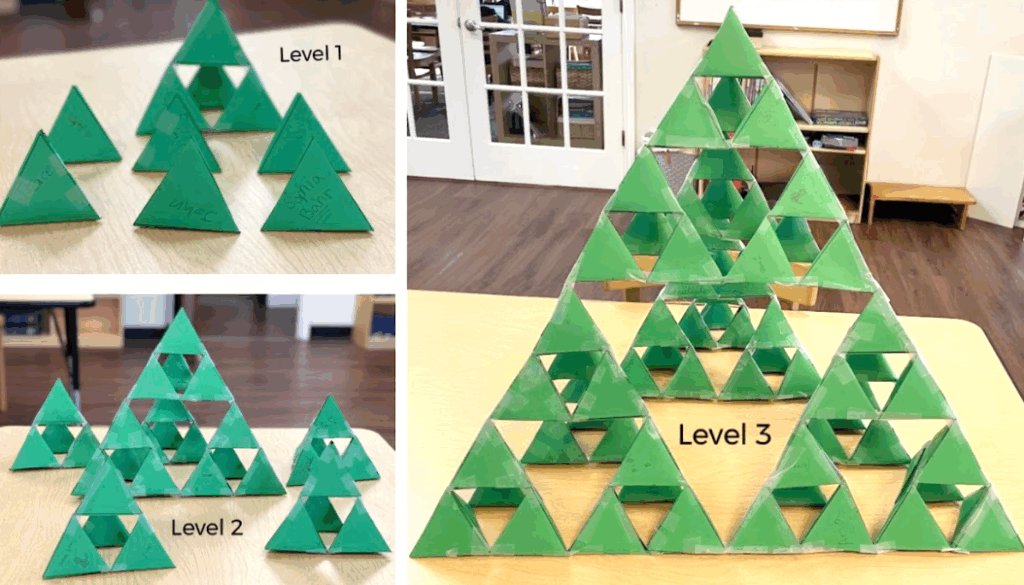
The 3D paper model of the Sierpinski Fractal Pyramid is a collaborative project for children to do in the classroom. The students are introduced to the concept of fractal geometry and self-similarity. The Sierpinski triangle is a fractal, meaning it has a repeated pattern at different scales. Each student gets a printed triangular pyramid template which they cut and fold into the 3D shape. Then, the students tuck the flaps in and seal the edges using tape. Groups of students can be assigned to work on different levels 1-3 of the pyramid. The students group four of the triangular pyramids together to form a Level 1 Sierpinski triangle—three triangular pyramids on the base and one triangular pyramid sitting on top, which leaves a hollow space in the middle. Then four Level 1 Sierpinski triangles are grouped together to make a Level 2 Sierpinski triangle. Then the four Level 2 Sierpinski triangles are arranged to make a Level 3 Sierpinski triangle. Finally, all groups collaborate to assemble all three levels to build one large 3D model of the Sierpinski Fractal Pyramid. This activity integrates hands-on learning and helps children to recognize similarities in geometric patterns.
Symmetry in nature
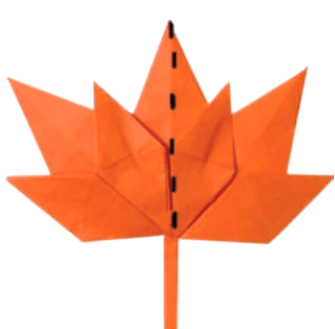
Students were introduced to a mathematical concept known as “bilateral/reflective symmetry” with the help of an activity “Science Behind Fall Colors.” A great example of symmetry in nature is leaves. Many leaves found in nature have a central vein that acts as the line of symmetry, separating the leaf into two mirror image halves. Ex: Maple leaf is known for its symmetrical shape. The students understood this concept by looking at pictures of different colored maple leaves, samples of real maple leaves and online resources. They learned that the color of the maple leaf changes due to the breakdown of chlorophyll (green pigment) on it as the temperature drops in the fall season, exposing other pigments like carotenoids, which produce yellow and orange shades on it as well. Sunlight and soil moisture levels are the other factors that influence the maple leaves to change color. Apart from appreciating the beauty of the fall foliage, the students were enthusiastic to learn the natural symmetry seen in maple leaves. For this symmetry related activity, students were asked to fold a paper maple leaf (using a simple origami technique) along its central vein to see how well the two halves align. This lesson not only reinforces reflective/bilateral symmetry in nature, but also connects symmetry used in mathematics and the science behind the different colors of the maple leaves.
Tangrams in Google Drawings
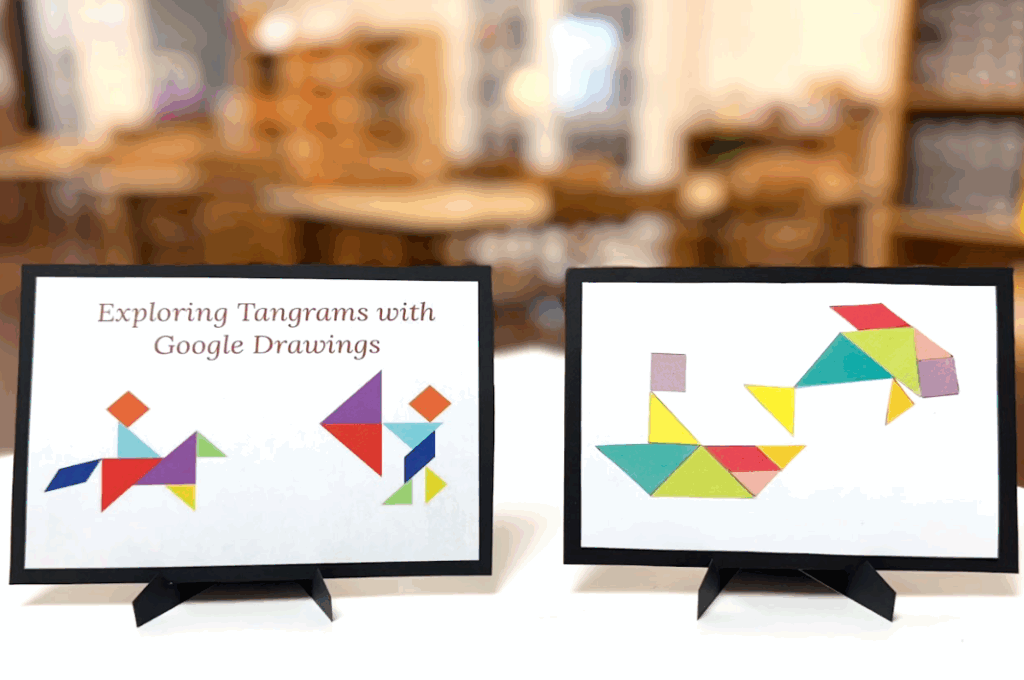
A tangram is a Chinese geometric puzzle consisting of a square cut into seven pieces that can be arranged to make various other shapes. The seven pieces include two big right triangles, one medium right-angle triangle, two small right-angle triangles, one square and one parallelogram. There are plenty of shapes available in Google Drawings to create a wide variety of geometric shapes. The object of tangram puzzles is to create an image by moving, rotating and flipping the pieces as needed. First, we look at all seven geometric shapes used in this activity. Then each student is given two printed tangram puzzle templates made of card. By looking at the sample images of animals, boats, people and objects provided, the students can create their own custom images by cutting the tangram shape templates and gluing them on to a piece of paper. Next, the students refer to the custom images they created and replicate them using the various geometric shapes available on Google Drawings. The students not only learn to move, rotate and flip the geometric shapes, but also learn to resize them and fill in all the shapes with different colors. This activity is a beginner-friendly activity that merges geometry with technology and fosters creative problem-solving and digital skills.