





















That frustration can be turned into confidence, says Matt Dean.
Assistive technology continues to evolve, but the principles of success remain the same: tools are most effective when they are relevant, learner-focused, and embedded in classroom routines. The right AT empowers children to communicate, access learning, and participate independently, building confidence, engagement, and enjoyment in learning. Thoughtful implementation can also support teachers, helping learners to work independently and allowing educators to focus on higher-level learning and enrichment. Over the past decade, working with hundreds of schools and families, I’ve witnessed how understanding, trialling, and embedding AT can transform frustration into confidence—for both students and teachers.
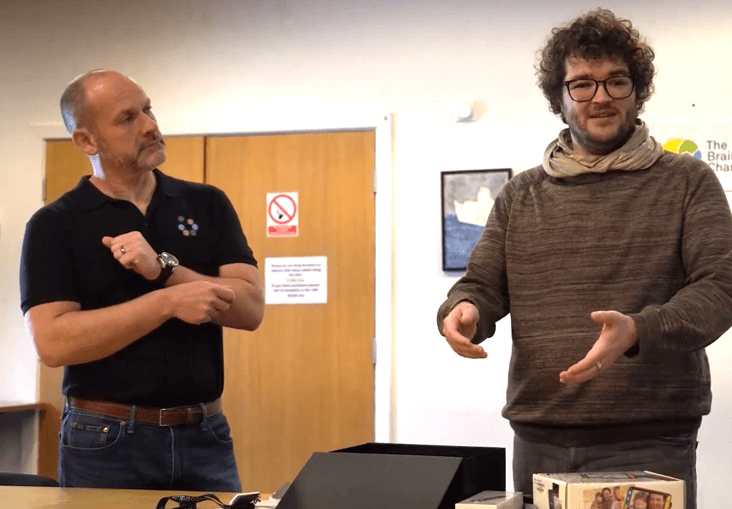
Even teachers familiar with AT often face the challenge of keeping up with innovations and identifying which tools offer meaningful impact for specific learners. For example, we partner closely with staff at Moon Hall Specialist Dyslexia School in Reigate to bring the latest assistive technology into classrooms, trialling devices and software in real lessons. Students are involved in the process, providing feedback on usability and effectiveness, while teachers receive hands-on guidance on embedding tools into everyday learning. The relationship ensures that the technology is relevant, practical, and embedded, keeping staff confident and informed without adding to their workload. It also guarantees that learners benefit from AT that is tried, tested, and tailored to their needs.
One of the great things about assistive technology is that it doesn’t have to be expensive to be effective. There are tools available to suit all budgets, from high-tech devices to low-cost or even free apps. Some of the most impactful solutions we’ve seen are surprisingly simple, such as Microsoft Immersive Reader, which is a free tool built into Word, OneNote, and Teams. It helps with reading comprehension, highlighting, and text-to-speech. Google Keep is a free note-taking and visual checklist app which can be used for visual schedules and task management. The key is choosing tools by what fits the learner’s needs, not the price tag. By keeping an open mind and exploring options, schools can provide meaningful support for all students without stretching budgets.
Practical integration
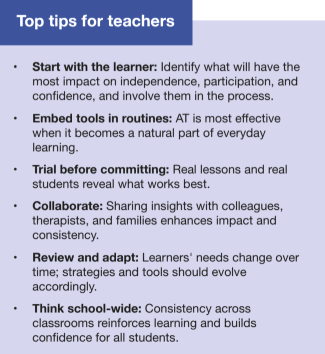
Assistive technology works best when it is thoughtfully incorporated into classroom practice rather than treated as a separate intervention. Examples from our experience include:
- Communication devices used naturally during group work or class discussions, enabling students to contribute their ideas independently.
- Reading and writing tools applied in context, allowing learners to access texts and demonstrate understanding without interrupting lesson flow.
- Task management and visual schedule systems helping students organise themselves across lessons, developing executive function skills in real time.
The common thread in all these examples is integration. When AT is part of the learner’s daily experience, it fosters confidence, engagement and independence, and naturally allows teachers to see the benefit without adding extra complexity to their routines. When AT is embedded thoughtfully, classrooms become inclusive spaces, where learning is accessible and participation is maximised. Even small, strategically applied tools can transform the classroom experience, giving students skills, confidence, and agency that extend beyond the lesson.